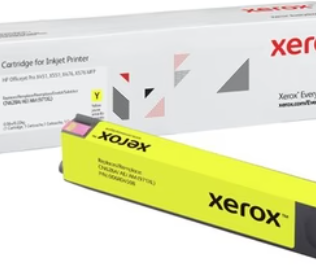
HP printers are a default choice for millions of UK homes, schools, and workplaces. They are reliable, widely available, and well-supported. But the cartridge that goes inside them is not one-size-fits-all. Each HP printer model takes a specific cartridge, and buying the wrong one wastes time and money. Here is a practical guide for every type of buyer.
Who Uses HP Inkjet Printers in the UK
HP inkjet printers are found across a wide range of environments. Understanding which type of user you are helps you decide what to buy and how often.
Home Users
Home printing tends to be light to moderate. Letters, forms, occasional photos, school projects. A standard or XL cartridge suits most home users. Free delivery from a UK supplier removes the last reason to overpay at a high street retailer.
Students
Students print assignments, lecture notes, and reference materials. Print volumes can be unpredictable, particularly at the end of term. Keeping a spare black cartridge on hand prevents the common problem of running out the night before a deadline.
Schools
Schools go through ink at a high rate. Multiple printers, regular printing for lessons and admin, and the need to keep costs manageable all point toward compatible cartridges from a reliable UK supplier. Free UK-wide delivery and bulk availability matter in this context.
Small Offices
Small offices often rely on a single HP inkjet printer for everyday correspondence and document printing. Regular reordering, clear cartridge tracking, and consistent supply are the priorities here.
The HP Inkjet Range: What Is Available
HP makes a wide range of inkjet printers and a corresponding range of cartridges. Most fall into a few common series.
HP DeskJet Series
The DeskJet range is designed for home and light office use. Common cartridge series for these printers include HP 62, HP 302, and HP 304. These come in black and tri-colour versions.
HP OfficeJet Series
The OfficeJet range is built for small and home offices. These printers often handle higher print volumes than DeskJet models. Cartridge series include HP 62, HP 903, and HP 953. XL versions are available for most and are worth considering for regular office use.
HP ENVY Series
ENVY printers target home users who print photos as well as documents. Common cartridge series include HP 62 and HP 304. These cartridges support both photo and document printing.
HP PhotoSmart Series
Older PhotoSmart printers use cartridge series such as HP 364 and HP 178. These are widely available and come in both standard and XL versions.
Always confirm your cartridge number before ordering. The printer model alone is not always enough. Check the cartridge currently in your printer or refer to your printer manual.
Buying HP Ink From a UK Supplier
Buying from a UK-based store gives you practical advantages that matter when you are ordering something you use regularly.
Free UK Delivery
Delivery charges add up. If you buy ink every few weeks, paying for delivery each time is an unnecessary ongoing cost. Omni Nest offers free UK-wide delivery on orders, which makes regular purchasing more straightforward.
30-Day Returns
A 30-day full refund policy protects you if a cartridge does not perform as expected. This is the standard you should look for from any UK supplier. Omni Nest operates this policy as standard.
UK-Registered Business
Omni Nest is a registered UK business, company number 16755489, operating from London. Buying from a registered UK company gives you full consumer law protection and a clear route if anything goes wrong.
Colour Printing vs Black and White Printing
Most HP inkjet printers handle both colour and black-and-white printing. Understanding when you need which cartridge helps you manage stock more effectively.
Black Cartridges
Black ink is used for the majority of everyday printing. Documents, emails, letters, forms, and most web content print in black. A black cartridge typically runs out faster than any individual colour cartridge for users who mostly print text.
Colour Cartridges
Colour cartridges, whether combined tri-colour or individual Cyan, Magenta, and Yellow, are used for photos, graphics, and any document with colour content. Many HP printers require a colour cartridge to be present even when printing in black and white. If the colour cartridge is missing or empty, some HP models will refuse to print at all.
Keep Both on Hand
If your printer uses separate black and colour cartridges, keeping a spare of each prevents you from being caught out when one runs dry unexpectedly.
How to Reduce HP Ink Costs Without Reducing Quality
Ink is a recurring cost. A few practical adjustments reduce how much you spend without affecting the quality of your prints.
Print in Draft Mode for Internal Documents
HP printers offer a draft or economy mode that uses less ink per page. For internal documents, rough copies, or anything you do not need to look polished, draft mode works well and stretches each cartridge further.
Preview Before Printing
Print preview catches formatting errors before they waste ink and paper. Printing a document that cuts off mid-page or prints an extra blank sheet wastes both. Check preview as a habit before every print job.
Use XL Cartridges for Regular Printing
As covered earlier, XL cartridges have a lower cost per page than standard versions. If you print more than a few times a week, switching to XL reduces your overall spend over time.
Choose Compatible Cartridges for Everyday Use
For standard document printing, a good-quality compatible cartridge from a reputable UK supplier performs well and costs less than an OEM original. Omni Nest stocks HP Ink Cartridges for a wide range of HP printer models, with both OEM and compatible options available.
What to Do When HP Ink Print Quality Drops
Faded output, streaks, or missing colours are the most common signs that a cartridge is running low or has a blocked nozzle.
Run a Test Print First
Use your HP printer’s diagnostic tools to print a test page. This shows which colours are printing correctly and which are faded or missing.
Clean the Print Head
HP printers have a built-in nozzle cleaning function accessible through the printer software or the printer’s own menu. Run one clean cycle and check the output. Do not run multiple cycles in a row as this uses ink without always improving the result.
Check Ink Levels
HP’s software shows estimated ink levels for each cartridge. If a colour is nearly empty, replace it before the quality deteriorates further. Printing with a near-empty cartridge can occasionally cause print head damage.
Check the Cartridge Contact Points
If a cartridge is showing as unrecognised or the printer displays an error after installation, remove the cartridge and gently clean the copper contact points with a dry, lint-free cloth. Reinstall and test again.
Conclusion
HP ink cartridges are a regular purchase for millions of people across the UK. Getting the right cartridge number, choosing between standard and XL based on your print volume, and buying from a UK supplier with free delivery and a clear returns policy are the three things that make the biggest difference to your experience.
Omni Nest stocks HP Ink Cartridges for home users, students, schools, and businesses across the UK. Free UK-wide delivery, a 30-day full refund policy, and a broad range covering all common HP inkjet series make it a practical choice for regular buyers.
About the Author